How PALOFIT works
Take a quick assessment — get your program
Tell us your goal, experience and schedule. PALOFIT builds you a personal training program for the gym, home or on the go.
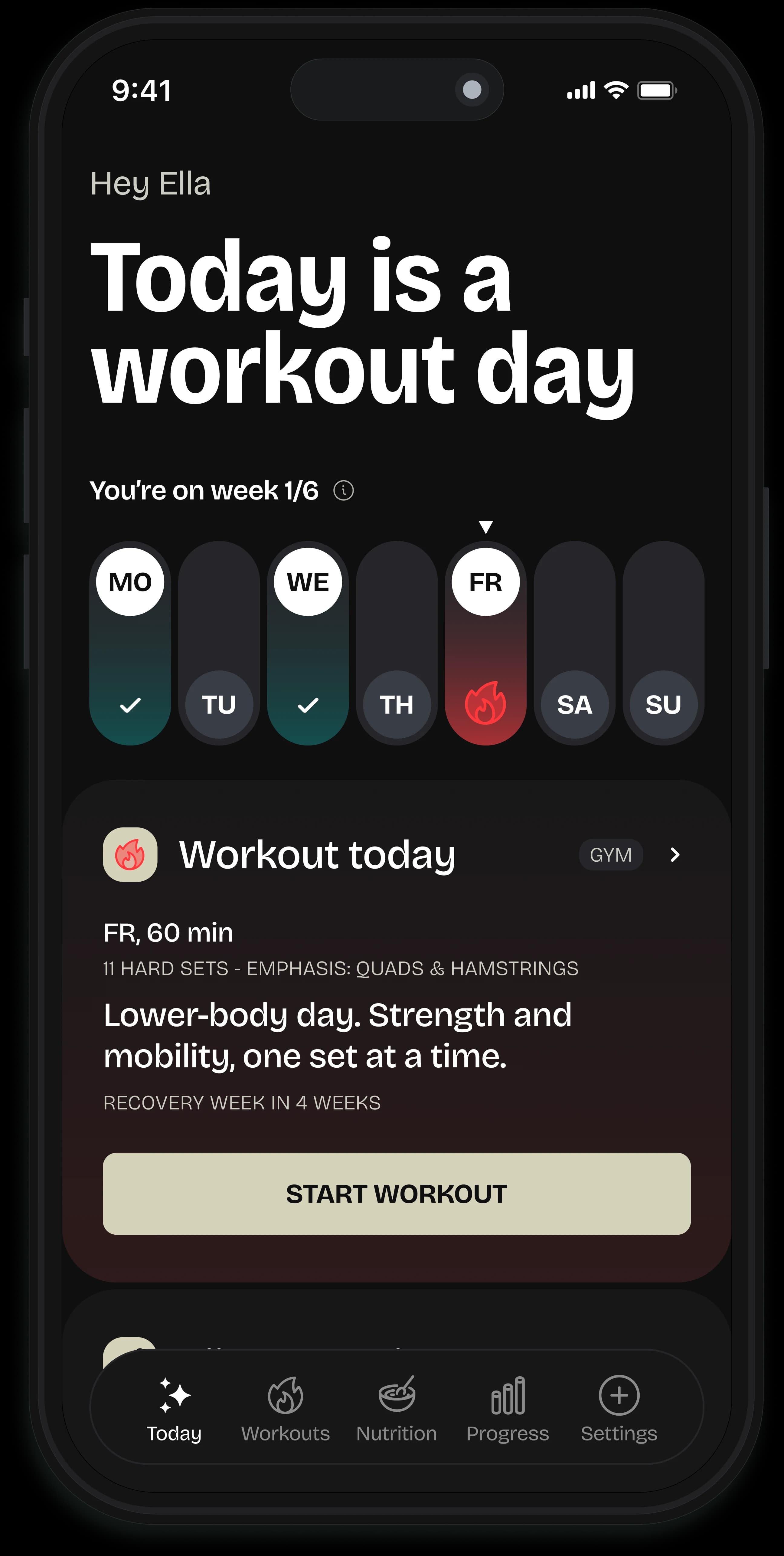
Start training — weights and sets ready
PALOFIT suggests the right weight, reps and rest based on your performance. You just tap the sets you've done.
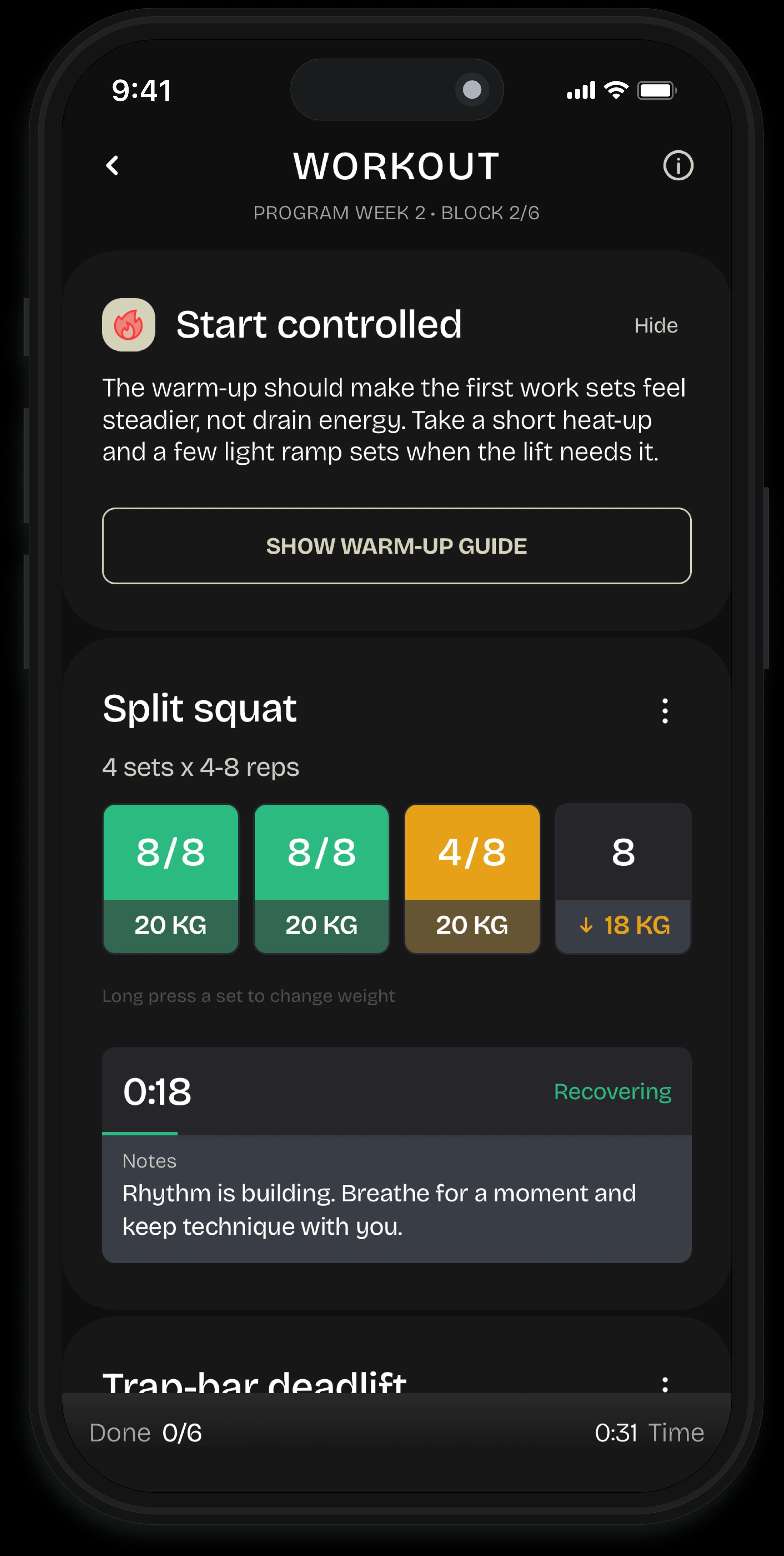
Over 300 exercises — learn proper technique
The app shows you on video how the exercises are done. Setup and execution cues help you learn proper technique as you train, and the rest timer tells you when to continue.
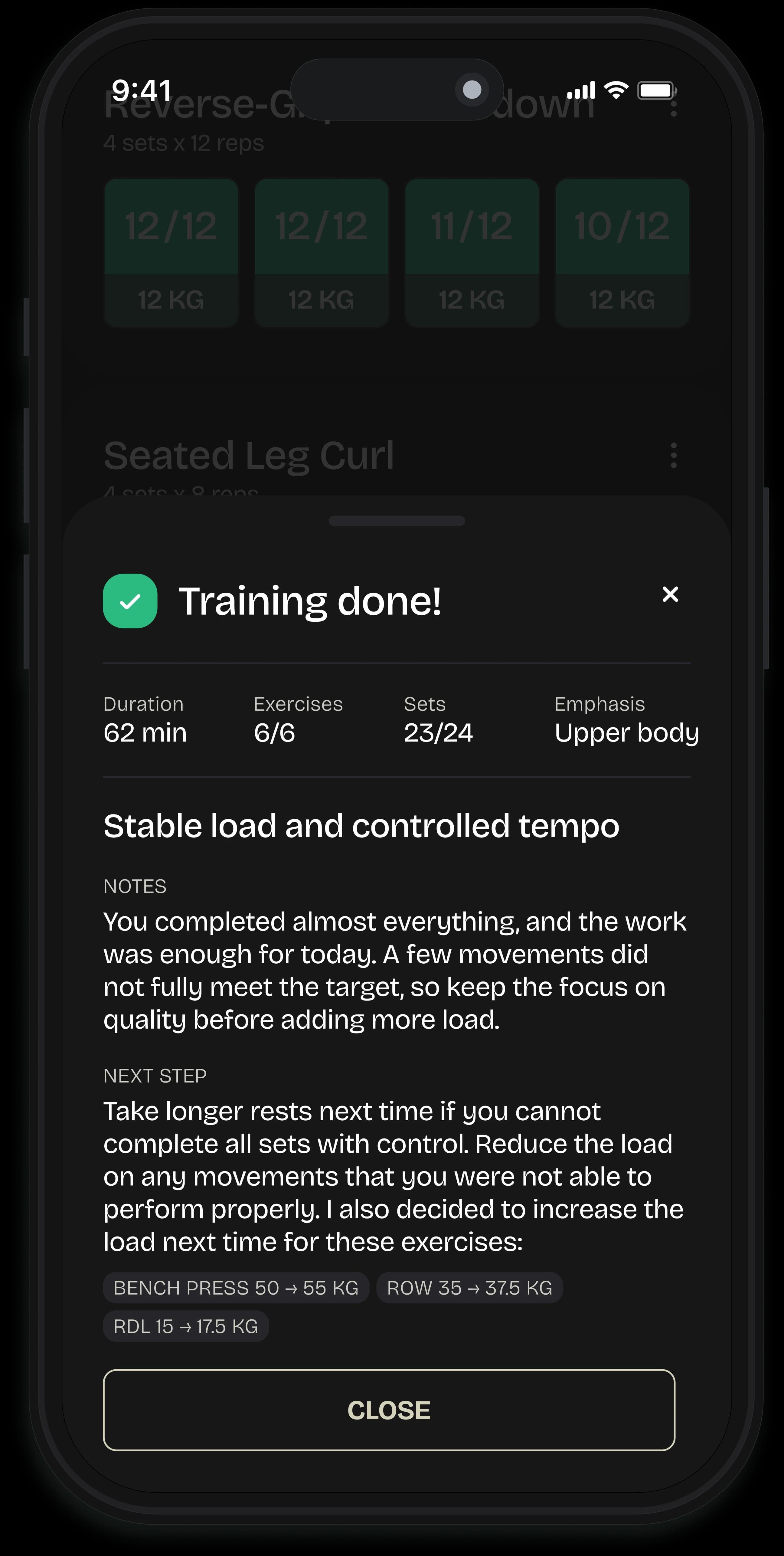
What you get
Personal training program
Your goals, experience and recovery shape the program every week.
Use at the gym or at home, 300+ exercises
Switch training location on the fly — the program picks exercises based on the equipment you have.
Training, nutrition and recovery
PALOFIT combines training, nutrition and recovery in one view. Get the most out of your workouts without overload.
Built on training science
Progressive overload, periodization and autoregulation: the same principles competitive coaches use.
Read the scientific foundation →
In your life's situations

Daily readiness
- Sleep and heart-rate variability
- Readiness score
- Today's recommendation
Daily readiness helps you understand your energy level
When you connect Apple Health or Health Connect on Android, PALOFIT uses sleep and heart-rate variability to show whether to do your planned workout or ease the load today.
Fits your devices
PALOFIT can use sleep, heart rate and activity data in the background. Use the devices you already have. Health data adds context, but the training program also works without extra devices.
Apple Health
Supports daily readiness, recovery and training guidance from your iPhone. iOS can also save completed workouts to Apple Health with your permission.
Apple Watch
Use the PALOFIT app on your watch — mark exercise sets as done directly from your wrist.
Health Connect
Reads steps, active energy, sleep and resting heart rate. Coming: saving PALOFIT workouts to Health Connect.
Wear OSComing soon
Use the PALOFIT app on your watch — mark exercise sets as done directly from your wrist.
You can enable the connection yourself and revoke it at any time from PALOFIT's settings or your device's health app. PALOFIT only requests the permissions needed for the service. Your health data is yours — we don't share it with third parties.
What makes PALOFIT different
Adaptive
The program changes with your fitness, schedule and recovery — like training with your own personal trainer.
Transparent
Every change in weights, sets and exercises is clearly explained — no black box.
Holistic
Training, nutrition and recovery in one app, not three.
At your pace
Train at the gym, at home or on the go. If you miss a training day, the program flexes and continues where you left off.
Questions
How does PALOFIT adapt my program?
Program planning uses your goal, experience level, training days, workout duration and available equipment, among other information. Logged performance and feedback inform future weight suggestions. Active restrictions and the load reductions you select in the app are also considered. PALOFIT programs are based on current research.
Can I change my training location or equipment?
Yes. Choose the location and available equipment in Profile’s Training location settings. You can customize a preset location’s equipment in your own copy. You can also create a location for home or another gym.
Can I train more often than the program suggests?
Yes. If you want to train more often regularly, change the number of training days in settings so the program is planned around your new rhythm. For a one-off additional session, choose an extra workout. It does not automatically replace a workout in your program.
Do I need a smartwatch or smart ring?
No. You can use the program and log workouts without a separate device. Connecting health data is optional and adds information about activity and recovery.
Does a free period automatically become a paid subscription?
A free period activated by invitation ends without a charge and does not itself start a paid subscription. A trial started through an app store is different: check its renewal and terms in the purchase confirmation. An invitation period does not cancel an existing paid subscription either.
How do I cancel a paid subscription?
Open Profile > Subscription > Manage subscription. Cancel an App Store purchase in your Apple account’s subscriptions, or a Google Play purchase in Google Play subscriptions. Deleting the app does not cancel a subscription.
Apple cancellation instructionsGoogle Play cancellation instructionsIs PALOFIT a medical service?
No. PALOFIT, Daily readiness, nutrition guidance and post-workout feedback are directional training and wellbeing information. They are not a diagnosis, treatment advice, a medical device result, or a decision that training is safe. If you have pain, a medical condition, an injury, pregnancy, or feel unsure, lighten or stop training and ask a healthcare professional.
How should I use equipment safely?
Always follow the equipment manufacturer’s instructions, adjust equipment to fit you, and check that the space and equipment are in safe condition. Do not use broken machines, weights or accessories. If you are unsure about technique or setup, ask for in-person guidance before training.